Give your AI a memory of your life. Keep it at home.
CottonDB keeps your todos, calendar, notes, people, email, messages, photos, documents and money together on your own Mac and iPhone. Connect Claude, or any assistant you choose, and it finally has your context, on your terms.
The Mac app is ready today. The iPhone app is in beta.








Everything that matters, together.
Not another app for one thing. One database for the things your life is made of, kept as plain records you can read, search and take with you. Each kind is the object that did the job, on its own card.







 Messages



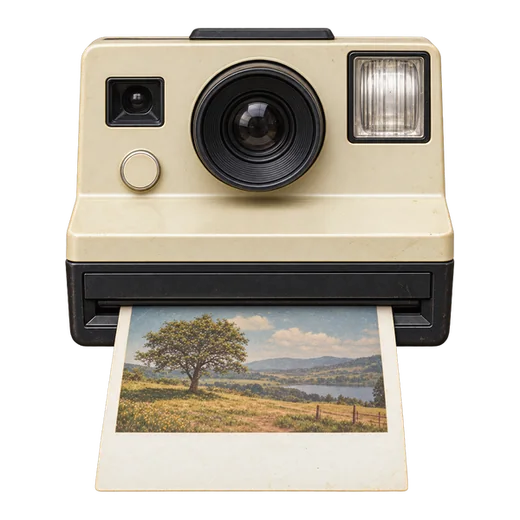






Also videos and stores. And projects, to keep any of it in context, with a memory of what you said in your own words.
Your assistant, finally with context.
Connect Claude, or any assistant built on the same open standard for tools. You approve it from your phone, decide whether it may write, and can cut it off at any time.
- Ask about your day and get an answer from your real calendar, todos and mail, not a guess.
- Say it once. It can file the todo, the note, the person or the event for you.
- You set the limits. Reading needs your approval; writing is a checkbox you tick or leave.
- Every call is logged in your own database, so you can see what was read and when.
- Some things it never sees: a document's password, a stored key, your recovery key.
Kept at home, not in someone's cloud.
Your Mac holds everything and serves it. Your iPhone carries a full copy. There is no account, no company in between, and nothing to sign in to.
- One home for your data: a folder on your own Mac, answered for by an app that runs whenever the Mac is on.
- Devices join by approval. A new device types your database’s name and shows six digits; you compare them on a device already in, and nothing else is ever admitted.
- Backups on your own devices. The text is on every device, every photo and file is kept on at least two of them, and a second Mac can answer instead.
- No password to reset, because there is none. A device is admitted by approval and removed the same way.
Compare this number on a device already in, then approve this phone
good for the next 4:55Built for the phone in your hand.
The Mac is the machine at home. The phone is where you live. Capture in a sentence, speak instead of type, and let the widgets carry the day.
# names the project, an @ the person, and it files itself.Years of history, filed on the first day.
CottonDB for Mac reads what your Mac already holds: your Messages and call history, a WhatsApp backup, and your Photos library with the people it already knows. Mail comes from Gmail. Statements come from your bank.
- Nothing is imported twice. Run it again whenever you like; it only adds what is new.
- People are matched, not guessed. When two contacts look like one person, you decide.
- Statements become money. Each transaction points at the line it came from, so every number has its evidence.
Free. Open source. Bring your own AI.
CottonDB costs nothing and has no paid tier. Contribute to the developers if you like; you will never be charged.
Your own AI key
Assistant features use a key from the provider you pick, who bills you for what you use. CottonDB bills nobody.
Open source
The code is there to read. Issues are open; the product is one person's, built in the open.
English, for now
One language done properly, before any other.
How it works
The technical picture, for people who want it. Everyone else can skip to the download.
One database file
Everything is a row in a single SQLite file in a folder on your Mac. Any SQLite tool can open it; the export is the file itself.
The Mac runs the server
CottonDB for Mac holds the file open and serves it. The iPhone keeps a full replica and syncs changes both ways; imports and workers run on the Mac.
Devices, not accounts
Each device holds its own key and signs every request. Pairing is two-step and two-device; nothing else is admitted, and no bearer secret is ever typed.
Assistants speak MCP
Every kind of record as a tool, over one endpoint, each one annotated read-only or not. OAuth with approval on your phone, or a token for scripts. Every call is written to an audit table in your own database.
A relay that forwards, never reads
Your Mac dials out and terminates TLS itself, with a certificate whose key never leaves it. The relay passes encrypted bytes and holds no certificate.
Copies on your own devices
Every device holds a full copy of the database; every photo and file is kept on at least two of them. A second Mac can answer instead of the first. There is no cloud copy unless you make one.
Connect Claude, step by step · What leaves your Mac, and what never does
Get CottonDB
Two apps, one database. Start with the Mac; it holds everything. Add the phone; it is where you will live.
CottonDB for Mac
Apple Silicon (M1 or newer), macOS 14 or later. Holds your database and serves it, imports what the Mac already has, and keeps itself up to date.
Download for Mac It opens a window and adds an icon to the menu bar. There is no Dock icon. Free · Version 0.29.96 · Installs from a download, not the Mac App Store
CottonDB for iPhone
iOS 18 or later. Where you capture, read and decide, with a full copy of everything in your pocket.
Get it for iPhone In beta on TestFlight. The App Store comes after. Free · Joins your database by name, approved with six digits — no accountThe iPhone app is in beta. Leave an email and you will get one message when it is out, and nothing else.